


Model wheels like this — then design your own with confidence.
The only wheel modeling course you’ll need in Blender.
This step-by-step tutorial series teaches a complete, professional wheel modeling workflow in Blender — from clean topology and accurate forms to lighting, decals, and final presentation.
You’ll model three different wheels, learn how to add realistic branding and details, and understand why each step matters — so you’re not just following along.
By the end of the course, you’ll have the confidence and process to design your own high-quality wheels from scratch.
3 wheels.
1 tutorial series.

So what's inside?
This course is broken down into clear, focused lessons that walk you through the entire wheel modeling process — from foundational setup to final presentation. Each section builds on the last, so by the end you don’t just understand how a wheel is made — you understand the workflow behind it.
Design wheels faster with
a non-destructive workflow
Learn how to set up your wheel models using tools like the Array modifier so you can work on multiple wheels at once and make changes without rebuilding from scratch.

Add realistic detail without wasting geometry
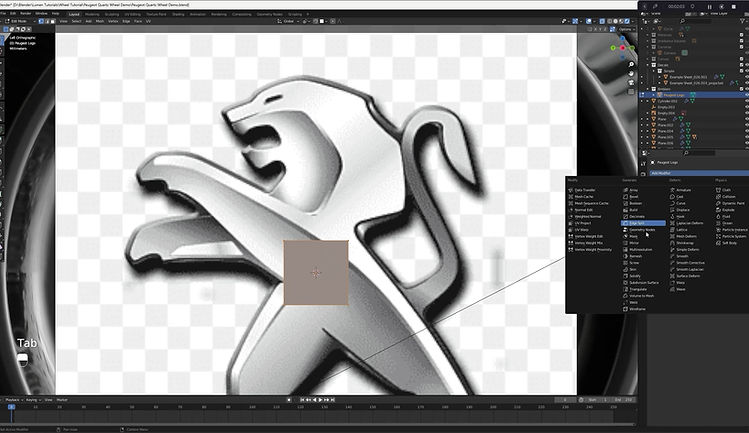
Learn how to model fine details, decals, and brand elements — like complex emblems — with a focus on clean topology and efficiency, so no detail is added by accident.
Create multiple wheel designs
using the same core workflow
Model three different wheel designs while learning how to iterate on forms, proportions, and details — so you’re designing, not just following steps.

Present your wheels with
proper lighting and materials
Learn how to set up lighting, materials, and render settings so your wheels look polished and professional — not flat or unfinished.

Design your own wheels with confidence
By the end of the course, you’ll understand the complete wheel modeling process — giving you the confidence to design your own wheels from scratch.

Frequently Asked Questions
Do I need prior Blender experience? A basic understanding of Blender’s interface is recommended, but you don’t need advanced modeling experience. The course focuses on wheel-specific workflows and explains each step clearly as you go.
Will this help me design my own wheels, or just follow along? You’ll learn a repeatable wheel modeling workflow, not just how to copy steps. By modeling multiple wheel designs and understanding why each step matters, you’ll be able to design your own wheels from scratch.
Does the course cover lighting and rendering? Yes. In addition to modeling, the course covers lighting, materials, and render settings so your wheels look polished and presentation-ready.
Is this course included in the Designer’s Bundle? Yes. Wheel Modeling in Blender is included in the Designer’s Bundle, along with all current courses, assets, and future tutorials.
Who is this for?
-
Designers and Blender users who want to model their own wheels using a clean, repeatable workflow
-
Beginners and intermediate users who want to avoid messy topology and inefficient trial-and-error
-
Anyone who wants to create and present high-quality wheels with confidence

Your instructor in the series.
I've been in the industry for 9 years and have experienced every part of both production and advanced design process.
In addition I have taught at both CCS and Art Center; both world renowned schools in transportation design.
Everything I taught in those schools is here with the added benefit of being able to rewatch any part of this course.