


Refine your ideas with intention.
A controlled approach
to design iteration.
Learn how to use Vizcom as part of a structured workflow to iterate on design concepts, adjust details, and develop more refined visual outcomes.
The course focuses on maintaining control throughout the process, allowing you to evolve ideas without starting over.
Be the director of your vision.
1 tutorial series.

So what's inside?
A structured workflow for refining design concepts, from early sketches to
polished visual outcomes using Vizcom.
Move from sketch to refined visualization
Learn how to take a rough sketch through color blocking and refinement into a polished visual using Vizcom as part of a structured workflow.

Control AI output through
intentional prompting
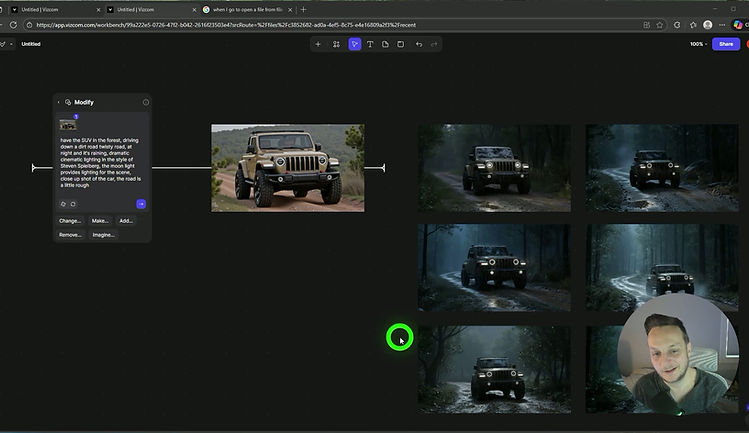
Understand how to guide Vizcom using prompts so the results align with your design intent rather than working against it.

Refine and modify designs at any stage
Learn how to adjust form, color, materials, perspective, and details
at any point in the process without starting over.

Create motion and cinematic presentations
Use Vizcom to add movement and animation that helps
communicate your design story more clearly.
Transition 2D sketches into 3D forms
Explore multiple approaches for turning 2D sketches into 3D-ready forms, allowing you to push designs further when needed.

Apply style and finish to elevate final renders
Experiment with stylization and finishing touches
to give your visuals a distinct look and added polish.

Frequently Asked Questions
Is this course beginner-friendly? Yes. You don’t need prior experience with Vizcom to follow along. The course focuses on understanding how to work with AI intentionally, starting from simple sketches and building up complexity as needed.
Will Vizcom replace my own design decisions? No. The course emphasizes maintaining control over form, color, materials, and overall direction. Vizcom is presented as a refinement and iteration tool, not an automated design solution.
What do I need to take this course? You’ll need access to Vizcom and a basic sketch or image to work from. The techniques apply whether you’re working with rough concepts or more developed designs.
Is this course included in the Designer’s Bundle? Yes. AI Mastery: Vizcom is included in the Designer’s Bundle along with all other courses and future updates.
Who is this for?
-
Designers who want more control and flexibility when refining concepts, from early sketches to polished visuals
-
Artists who enjoy iterating and adjusting details like form, color, and materials without restarting their process
-
Creators looking to use AI as a refinement and visualization tool, not as a replacement for design thinking

Your instructor in the series.
I've been in the industry for 9 years and have experienced every part of both production and advanced design process.
In addition I have taught at both CCS and Art Center; both world renowned schools in transportation design.
Everything I taught in those schools is here with the added benefit of being able to rewatch any part of this course.